Prompt Engineering Guide
How to communicate intent to language models reliably at scale — from zero-shot basics to production-grade system prompt architecture with chain-of-thought and structured output.
What Is Prompt Engineering?
Prompt engineering is the practice of designing text instructions that reliably steer a language model's outputs. Unlike traditional software where you specify exact logic, you shape probabilistic behavior through examples, context, and constraints. Every call to an LLM is a prompt engineering decision, whether you recognize it as one or not.
Why prompts are the architecture
Language models are pattern-completion engines. They predict what text comes next based on everything in their context window. A prompt is the mechanism for controlling that prediction — steering the model toward useful, accurate, and consistently formatted responses. Bad prompts produce inconsistent behavior not because the model is unreliable, but because vague instructions produce a wide probability distribution of possible completions.
Three variables determine prompt quality: clarity (is the task unambiguous?), context (does the model have what it needs?), and format constraints (is the expected output well-specified?). Most production prompt failures trace to at least one of these being weak, not to model capability limits.
The complexity ladder
The chain of prompt complexity runs from simplest to most involved: zero-shot instruction → few-shot examples → chain-of-thought reasoning → structured output constraints → system prompt architecture → prompt chaining across multiple LLM calls. The principle: move up the chain only when the simpler approach fails your accuracy threshold. Premature complexity adds latency, cost, and brittleness without proportional accuracy gains.
Chain-of-Thought Prompting
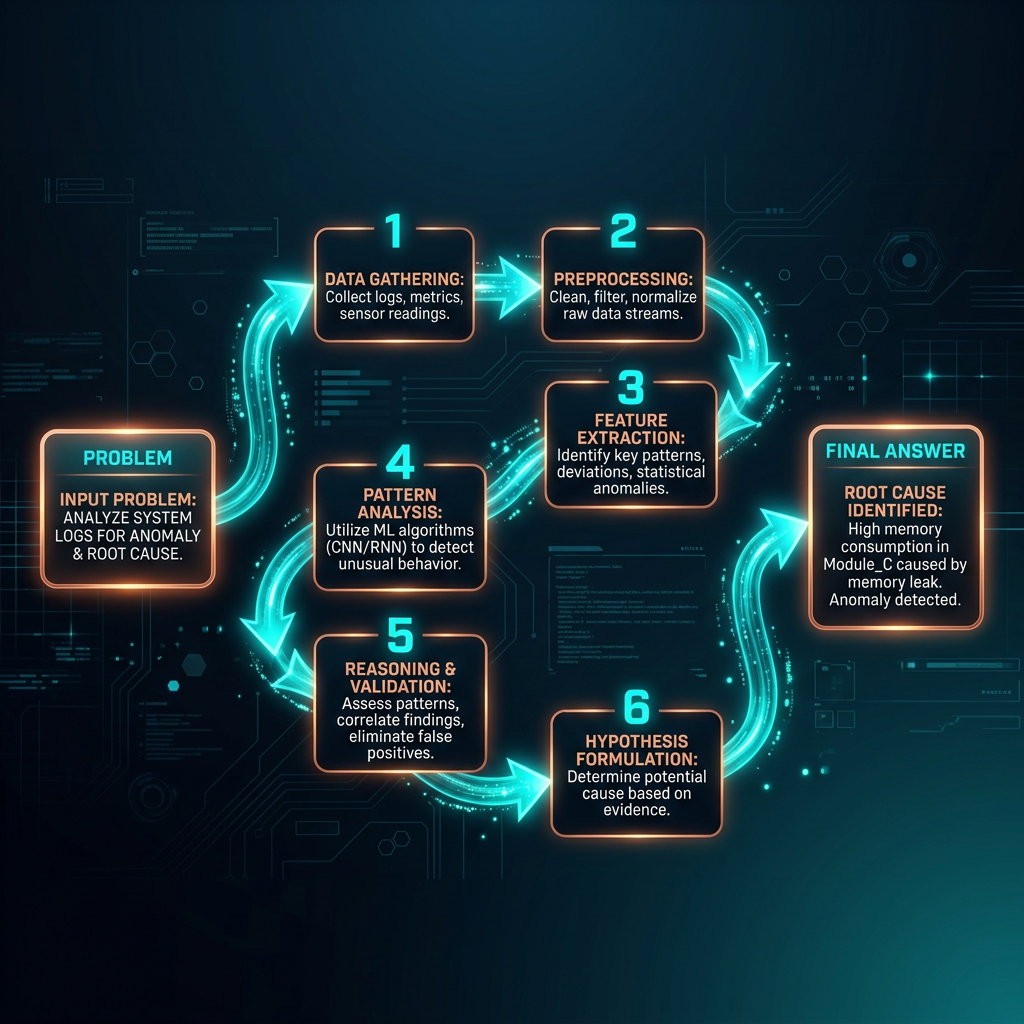
Chain-of-thought (CoT) prompting asks the model to reason through a problem step by step before giving a final answer. The mechanism: forcing explicit intermediate reasoning steps changes which tokens the model generates at the answer position, shifting probability toward correct completions. The simple version is appending "Let's think step by step" to any complex question. The more effective version provides worked examples that demonstrate the exact reasoning pattern you want.
Zero-shot CoT vs. few-shot CoT
Zero-shot CoT adds a reasoning trigger ("Think through this carefully before answering") without examples. It works surprisingly well on math and logic tasks and costs nothing beyond a slightly longer output. Few-shot CoT provides 2–4 worked examples showing the full reasoning chain, then the target question. More expensive to write but substantially more reliable when the reasoning pattern is specific to your domain.
When CoT helps and when it doesn't
CoT reliably improves accuracy on tasks with discrete reasoning steps: arithmetic, logical inference, multi-hop question answering, code debugging, classification with justification. It provides little benefit for simple lookup or retrieval tasks where the answer doesn't depend on intermediate steps. It can actively hurt performance on tasks where overthinking degrades accuracy — short creative writing, sentiment classification, and tasks where the first instinct is most often correct.
Few-Shot Prompting
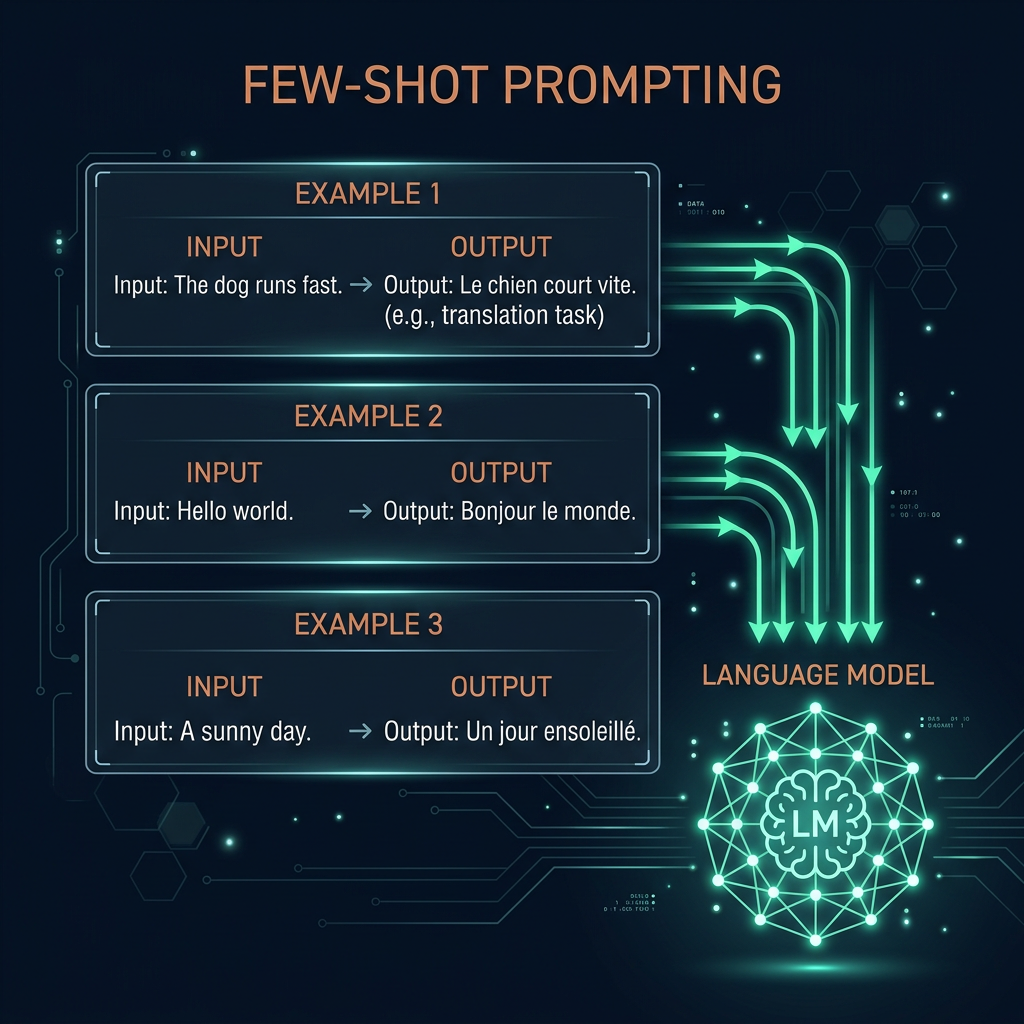
Few-shot prompting provides labeled input-output examples before the actual query, showing the model what a correct response looks like. The model doesn't update its weights — it uses the examples as in-context demonstrations of the target behavior. This is the fastest way to shift model behavior toward a specific style, format, or domain without fine-tuning.
How to select good examples
Example quality matters more than quantity. The ideal few-shot example set is: diverse enough to cover edge cases, representative of the actual input distribution, and free of ambiguous or borderline cases. Start with 3 examples. Add more only if accuracy is still inconsistent after trying other fixes — beyond 5–8 examples, returns diminish and context window costs increase.
Label formatting and shot ordering
How you format the examples affects performance. Clearly delimited input/output blocks (using XML tags, JSON structure, or consistent markers like "Input:"/"Output:") reduce confusion about where examples end and the actual task begins. Shot ordering matters on some models: harder or more representative examples near the end (closest to the actual query) tend to have more influence. Always test a shuffled version before committing to a specific order.
Structured Output Design
Structured output is any approach that constrains a model to emit a parseable format — typically JSON, but also XML, Markdown tables, or a custom schema. If downstream code consumes the model's output, structured output is not optional: free-text responses will eventually produce parsing failures in production, and parsing failures produce silent bugs that are hard to debug.
JSON mode vs. tool use vs. schema prompting
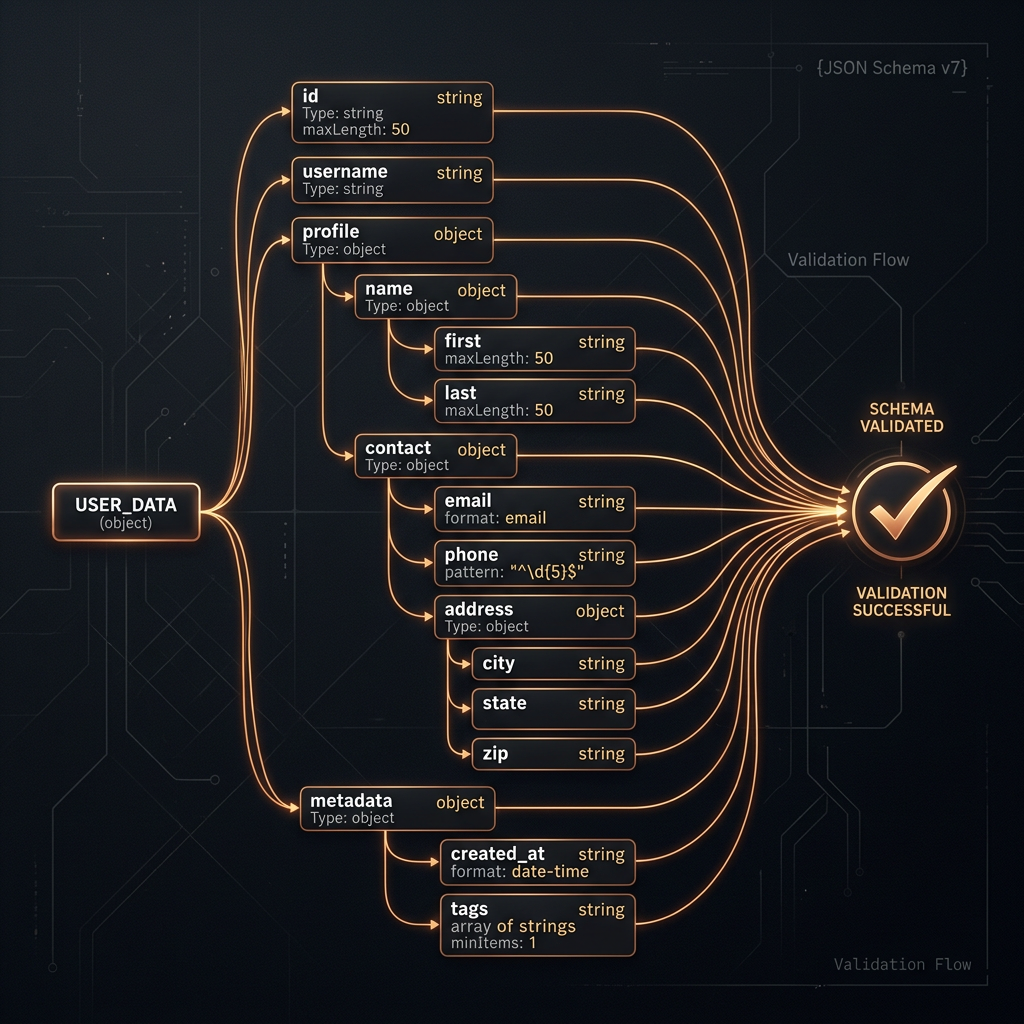
JSON mode (available in most frontier APIs) instructs the model to output valid JSON without specifying a schema. It prevents syntax errors but not semantic ones — the keys and values can still be wrong. Tool use / function calling defines a strict JSON schema the model must follow, with field names, types, and optional/required flags. This is the gold standard for production. Schema prompting describes the expected structure in the system prompt without API-level enforcement — cheaper but less reliable, suitable for prototyping.
Schema design principles
Design schemas that match how the model naturally expresses the information, not how your database stores it. Field names that describe semantics ("customer_sentiment" not "col_3") produce better outputs. Avoid deeply nested structures when flat ones work — nesting increases the chance of structural errors. Include a "reasoning" or "explanation" field before the final output field: giving the model space to reason before committing to a value consistently improves quality, even if you discard the reasoning field downstream.
System Prompt Architecture
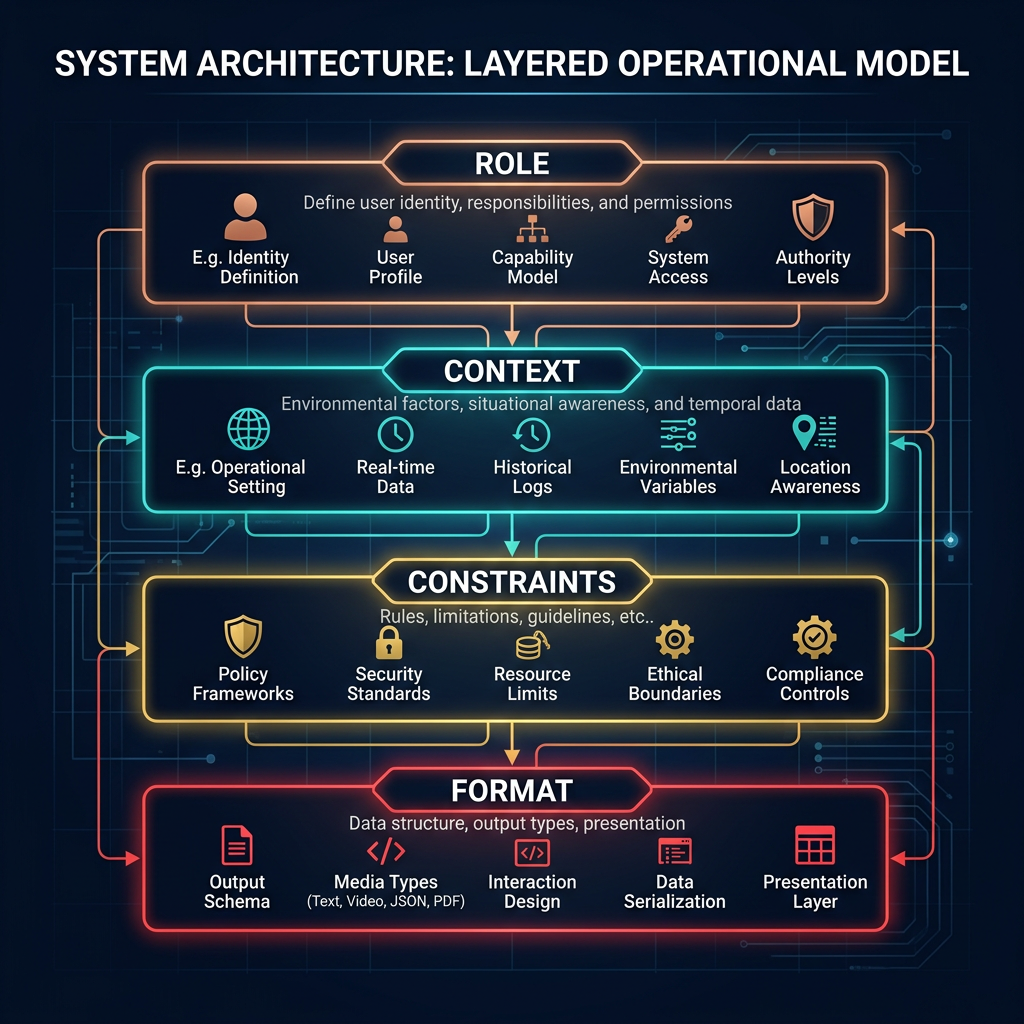
A system prompt is the persistent instruction set that defines an LLM's role, constraints, and behavioral defaults for a session. It's processed before every user message and has stronger influence on model behavior than equivalent instructions in the user turn. Well-structured system prompts are the difference between an AI that behaves consistently in production and one that drifts on edge cases.
The four components of a system prompt
Prompt chaining
Prompt chaining routes output from one LLM call as input to the next. This is how you build multi-step workflows: classify first, then generate based on the classification; extract entities first, then look them up, then draft a response. Each step in the chain should have a single well-defined task. Chains with ambiguous handoffs produce compounding errors that are difficult to debug. Always test each step in isolation before testing the chain as a whole.
Decision Framework: Which Technique When?
The most common prompt engineering mistake is reaching for complex techniques before exhausting simpler ones. Start at the bottom of this table and move up only when you hit an accuracy or reliability wall.
| Situation | Recommended technique | Why |
|---|---|---|
| Simple task, well-understood format | Zero-shot instruction | Fast, cheap, maintainable |
| Specific output format or domain nuance | Few-shot examples (3–5) | In-context demos calibrate without fine-tuning |
| Multi-step reasoning or math | Chain-of-thought (zero-shot first) | Intermediate steps shift probability toward correct answers |
| Downstream code consumes the output | Tool use / function calling | Schema enforcement prevents parsing failures |
| Consistent behavior across a session | System prompt architecture | Role + constraints + format reduce behavioral drift |
| Complex workflow with distinct sub-tasks | Prompt chaining | Single-purpose steps are easier to test and debug |
| Nothing above is working reliably | Consider RAG or fine-tuning | Prompting has fundamental limits; a different technique may be needed |